Remynders

Reminders that remember why

You already know what's on your calendar. You forget why you put it there.

Remynders stores your real reasons, written, spoken or photographed, and plays them back at the exact moment you're about to talk yourself out of something.

Android first. No account. Nothing to sign up for.

6:32Thursday
Remynders · now

Gym session in 30 min

Finish the week strong, so 60-year-old you can still tumble with the kids.

Remember what you said:

“So I can still get on the floor and play with my kids when I'm 60, and get back up without thinking about it.”

Remember my why

Tap to see how each kind of reason arrives.
The problem

A reminder you can swipe away is a reminder you'll ignore.

Every calendar alert tells you the same thing: a title and a time. Nothing in it argues with the part of you that wants to stay on the sofa.

Every other reminder

Gym · 6:30 PM

Swiped away in half a second, without reading it.

Remynders

Gym session in 30 min

“So I can still get on the floor and play with my kids when I'm 60.”

Written by you, months ago, for exactly this moment.

How it works

Four steps, then it runs itself.

STEP 1

Add your project

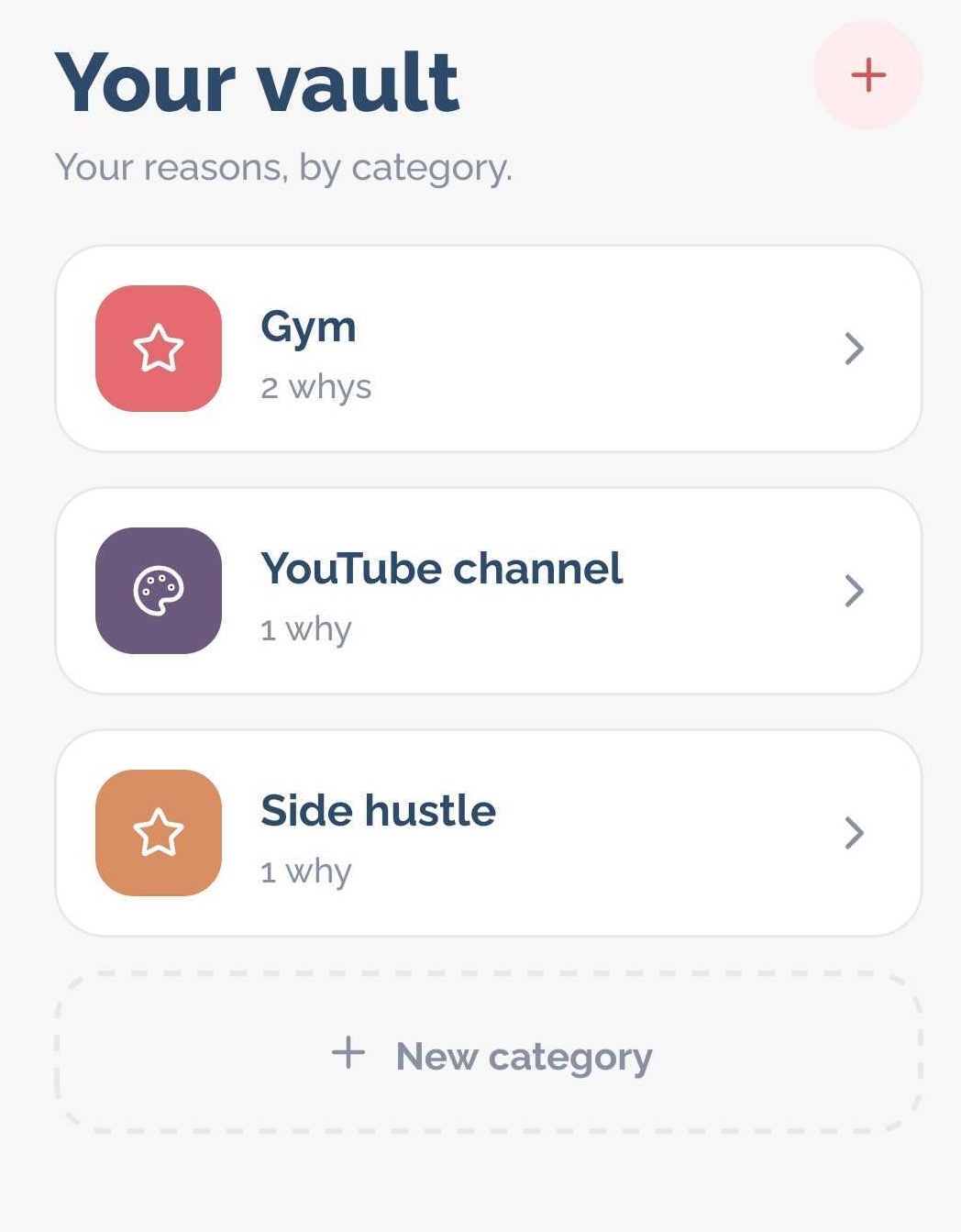
Hey, add your project. Your hobbies, your work, anything you are working towards. Whether it's a side thing, a fitness goal, a career move, or just something you don't want to forget.

Group them however you actually think. One project per thing you're chasing.

Your vault

Your projects, by category.

Gym

5 whys

Freelance gig

4 whys

Learn language

3 whys

STEP 2

Bank your reasons

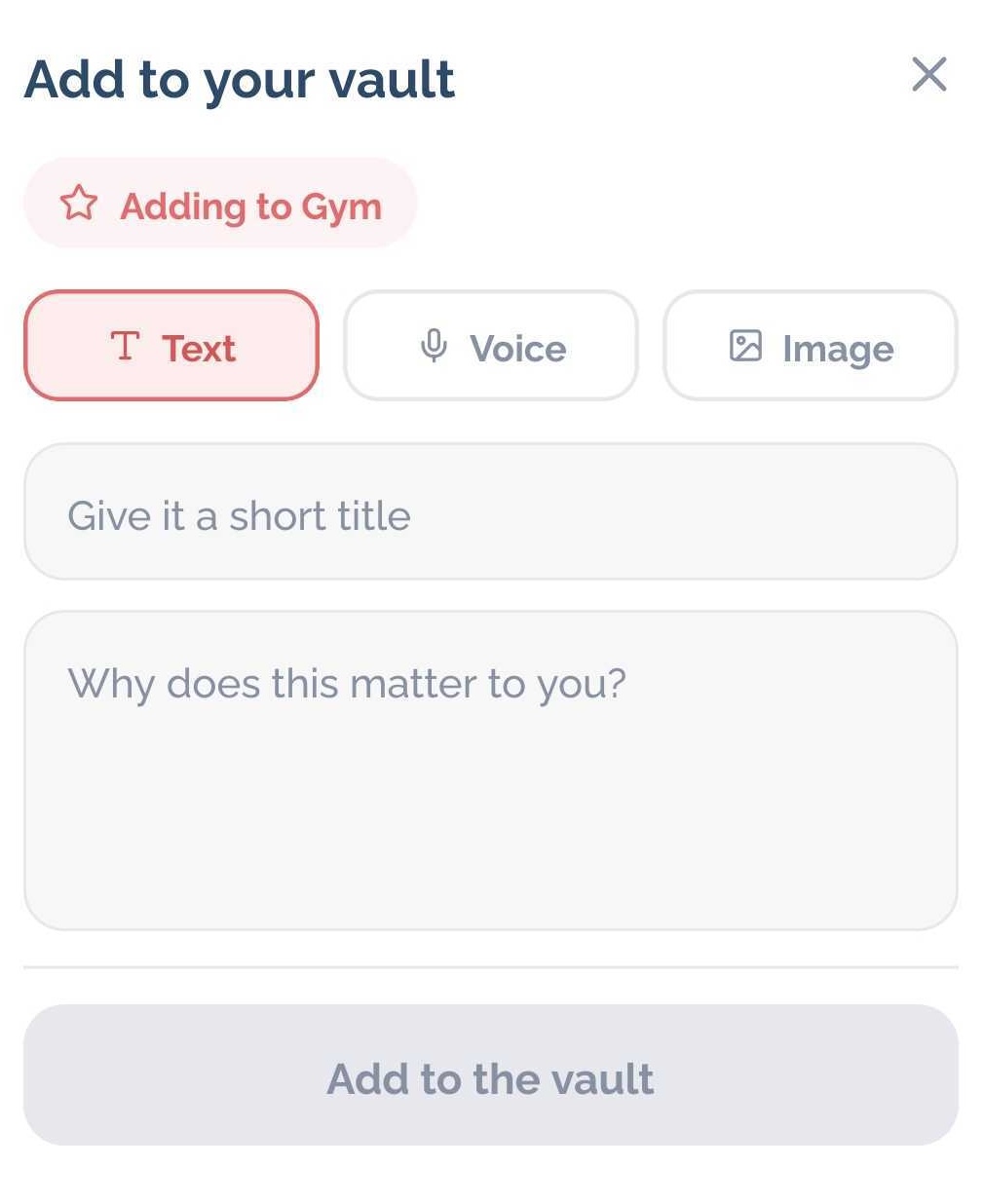
Type what you're really doing it for. Record a voice note on a good day. Save a photo of what you're working toward.

Five reasons per category is the sweet spot, enough that a reminder rarely repeats.

Add to your vault screen showing text, voice, and image options

STEP 3

Put it in the plan

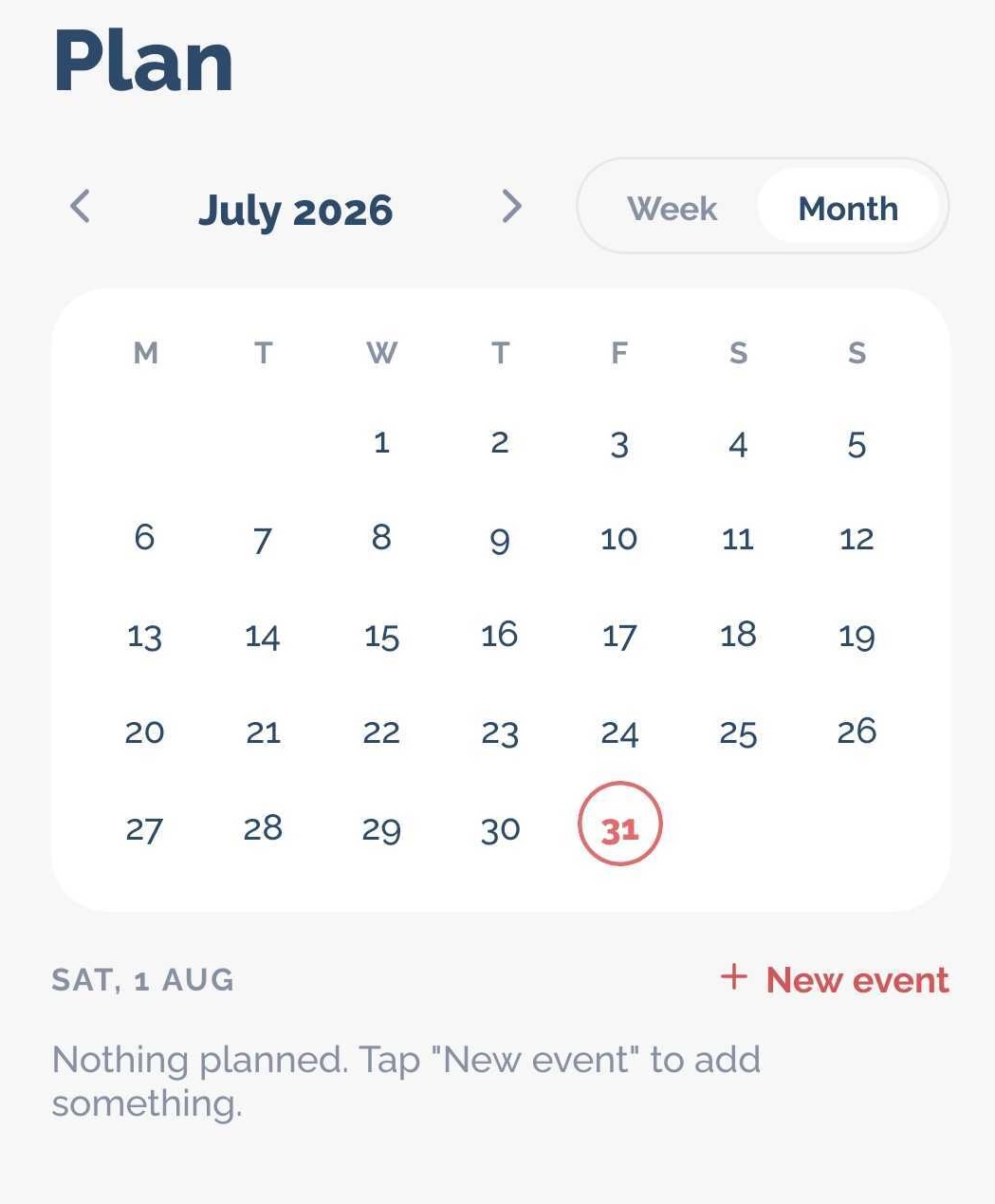
Add what you've committed to and when. Once, every day, or every Tuesday. Pick how long before you want the nudge.

No calendar permission. Nothing syncs anywhere.

Plan

July 2026
WeekMonth
MTWTFSS
1
2
3
4
5
6
7
8
9
10
11
12
13
14
15
16
17
18
19
20
21
22
23
24
25
26
27
28
29
30
31

Sat, Jul 25

+ New event

Gym session

6:30 PM · Every day

Freelance gig

8:00 PM · Every Saturday

STEP 4

Receive the notification at the right time

The reminder arrives, and one tap opens the whole thing: how long you've got, and the reason you saved, in full.

A different reason each time, so it never becomes wallpaper.

Gym session starts in

30min

Why this matters

“So I can still get on the floor and play with my kids when I'm 60, and get back up without thinking about it.”

Got it

The mechanism

Why it works when a nudge doesn't.

Your actual voice

Record yourself when you're clear-headed. Hear it back when you're not. Nothing an app could write competes with hearing yourself mean it.

The thing itself

A photo of the house, the people, the finish line. It fills the notification, so you see what this is for before you decide anything.

You already made the call

The hard part was never the workout or the hour of work. It's re-deciding at six in the evening, tired, when it would be easy not to. Remynders hands that decision back to the version of you who made it clearly.

Your reasons can change

Why you started is rarely why you keep going. Add to a category or rewrite a reason whenever it shifts, and your reminders shift with it instead of quoting a version of you that has moved on.

Where your reasons live

The most personal thing in the app never leaves your phone.

Voice notes and photos stay on your device. They are never uploaded, never transcribed, never analysed.
No account, no password, no email. Open the app and start.
Everything is stored on the phone, in an app-private database only Remynders can read.

Straight answers

The things you're probably wondering.

What does the AI actually do?

It writes the single line above your reason, so the same note lands differently on a Monday morning than on the last session of the week. It never rewrites, edits or paraphrases what you wrote. Your words appear exactly as you saved them.

What if I lose my phone?

You can export everything, reasons, recordings and photos, as a single file you keep, and restore it on a new phone. Because nothing is stored on a server, that file is the backup.

What does it cost?

Free to write text reasons and keep one category. Voice notes, photos and unlimited categories are paid. No ads, and nothing is sold on.

Coming to Android

Write it down while you mean it.

The version of you who set the alarm and the version who hears it are different people. Remynders lets the first one talk to the second.

No account. Your reasons stay yours.